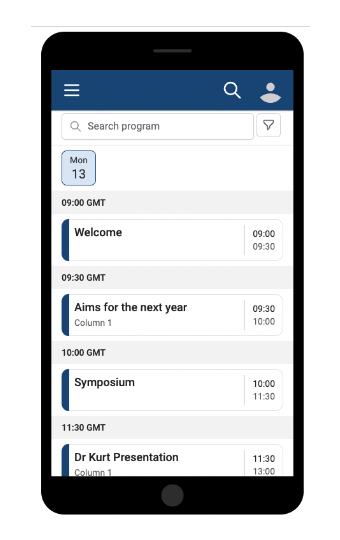

Oxford Abstracts app for your phone


Any changes in the conference program will be updated on Oxford Abstracts. We recommend downloading the app to easily access details about the conference venue and program.

Oxford Abstracts doesn’t have an app in the App Store or Google Play. Instead, you can add a shortcut to your home screen that works just like an app — it opens full-screen and gives you one-tap access to the conference platform. Follow the steps below for your phone.

📱 iPhone (Safari)

  1. Open Safari and go to the conference platform:
    https://virtual.oxfordabstracts.com/event/75978/program
  2. Tap the Share icon (square with an arrow pointing up) at the bottom of the screen.
  3. Scroll down the menu and tap “Add to Home Screen.”
  4. Confirm the name, then tap “Add” in the top-right corner.

✅ You’ll now see an Oxford Abstracts icon on your home screen, just like a regular app.

📱 Android (Chrome or Edge)

  1. Open Chrome or Edge and go to the conference platform:
    https://virtual.oxfordabstracts.com/event/75978/program
  1. Tap the three-dot menu in the top-right corner.
  2. Tap “Add to Home screen” or “Install app” (wording varies by phone).
  3. Confirm the name, then tap “Add” or “Install.”

✅ The Oxford Abstracts icon will appear on your home screen and open full-screen, just like a normal app.

💡 Tips

  • Make sure you use the exact conference link so the shortcut opens directly to the right event.
  • Use your phone’s built-in browser — shortcuts added from an in-app browser (e.g., inside email or Slack) may not work correctly.
  • Once added, the icon works offline as a launcher — but you’ll still need an internet connection to load the platform itself.

If you have any questions, please reach out to the organizing team at: IST2026@eawag.ch